Train gets stuck

🚂 Trains
This topic is closed (tagged ).
13 days ago

When a train station is added to the train logistics network and added as a dedicated rest stop, removing this rest stop setting later causes a critical issue. After the train arrives, loads, and unloads, it fails to depart and becomes permanently stuck at the station

Steps to Reproduce:

  1. Add a station to the train logistics network.
  2. Add this station as a dedicated rest stop for the network.
  3. Remove/delete the rest stop setting from the station.
  4. Allow a train to enter the station, load, and unload.

Expected Result:
The train should depart the station normally after finishing cargo operations.

Actual Result:
The train gets stuck inside the station and stands completely still after loading/unloading is complete.

Current Workaround:
The only way to fix it currently is to force recall the train, dismantle (deconstruct) the station, and then rebuild and reconfigure everything from scratch.

13 days ago

Captain Matt wrote:

Can you share the save?

But the stations with the issue were all demolished and rebuilt, so there’s no trace of the bug left. The broken save file was also overwritten anyway. Do I still need to send the save file?

13 days ago

Issue reproduced... sorta, it doesn't exactly match the described behavior, but close enough for me to call it the same bug.

I was not able to reproduce it for an unloading station. Attempts to do so resulted in the train unloading as expected, then moving on to the next job or to other waiting bays (if present), also as expected.

Making the loading station a waiting bay, however, resulted in station disablement:
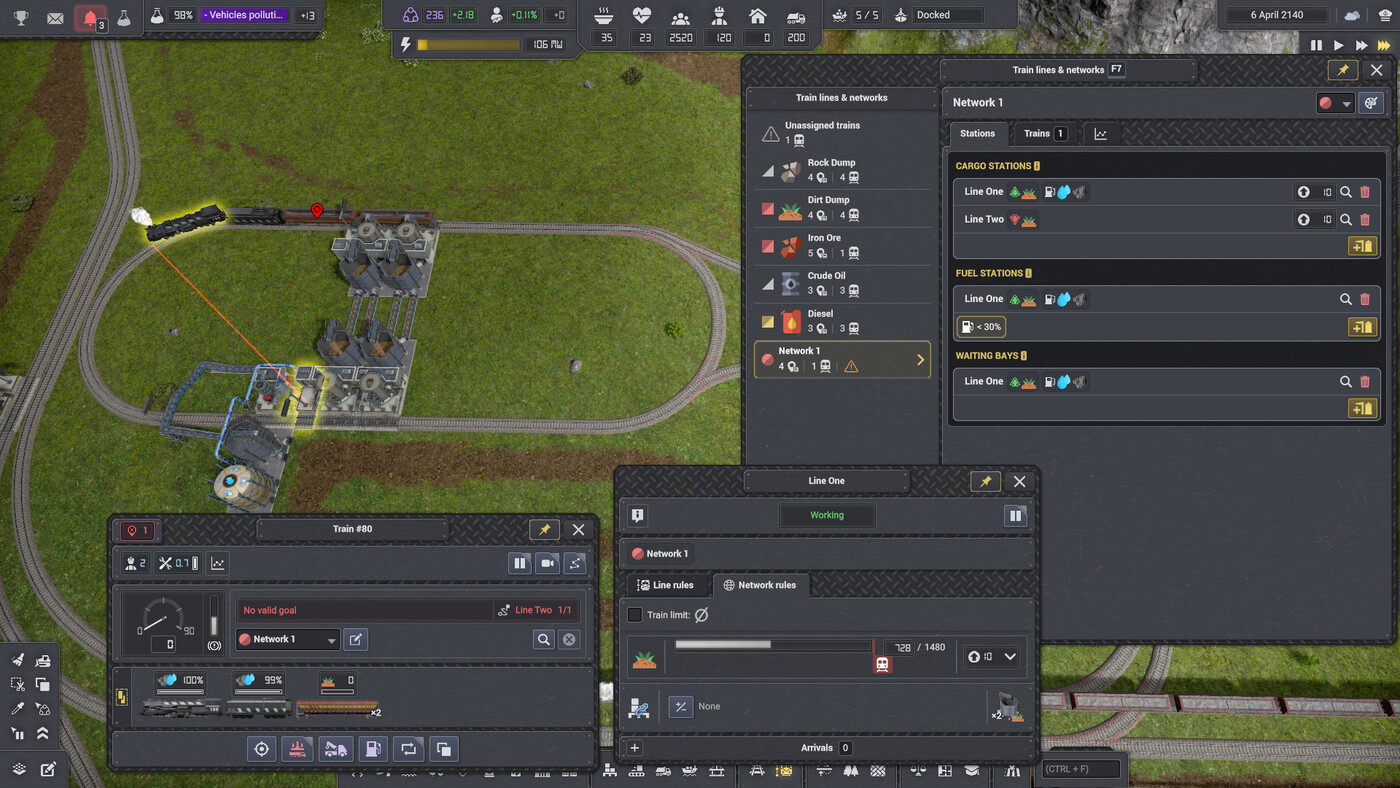
image.png

As the cargo-and-waiting station also refused to take a train direct from the depot, I feel like this is intended behavior. Unintended behavior is that once that station had enough cargo in it to request a train... the train still didn't move, and indeed will not move at all until I open an alternate waiting bay for it to navigate to (the waypoint station just to the left of the station in the picture), as it's gotten stuck on an impossible "navigate to waiting bay" job. Recovering the train and rebuilding/configuring the pickup station would probably do the trick, but unnecessary- providing enough waiting bays was enough to get it moving once more. Deleting waiting bay status at the pickup station had no effect on an unstuck train, though a stuck one completely ignored even station rebuilding until the waiting bay was supplied.

I will note that the stuck train did respond to manual "navigate to this piece of track" orders- though it still ignored the waiting job, even after waiting bay status was deleted. It looked like this after I deleted the waiting bay and moved the train:
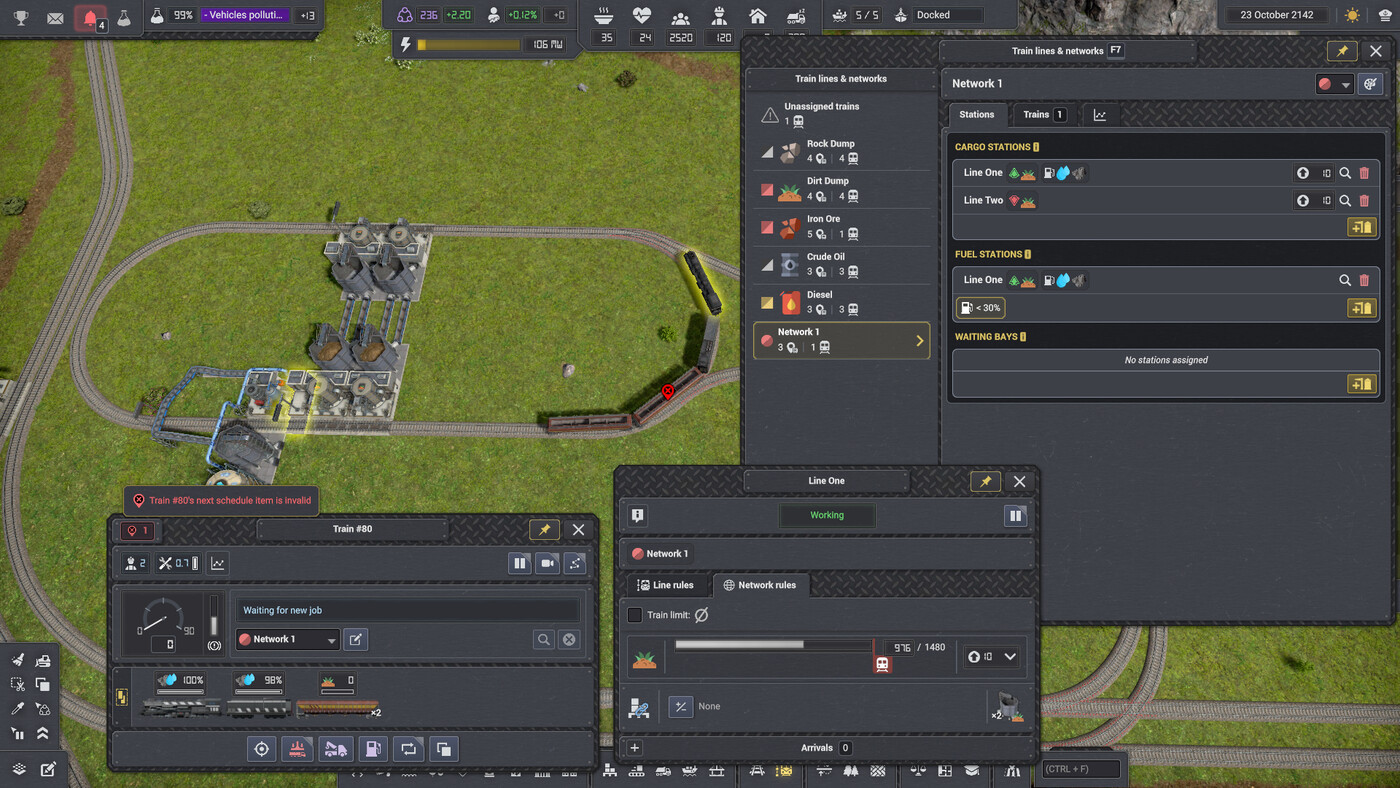
image.png

I would like to note that pausing and unpausing the train removed the "next schedule item invalid" error, but did not cause the train to once more consider the job that's waiting for it. Again, though, the fix was to present an alternate, non-cargo waiting bay.

I am going to guess that all of the waiting bays on your network happen to also be cargo stations, as that would potentially elicit the behavior you described.

Tested on Update 4.1 | v0.8.5 (b598)

I will note that having an alternate, valid, and unoccupied waiting bay, to include the dropoff station, will prevent the train from getting stuck.

For the devs, reproduction of my reproduction:

  1. Load attached save. Map should be in the pictured position. If not, it's near the bridge.
  2. Delete the waypoint station as a waiting bay.
  3. The train will get stuck as soon as it searches for a valid waiting bay.
  4. Ignore the other trains scurrying around the map, only this test loop is involved.
  5. To unstuck, re-add the waiting bay.
1 attachment only for registered users
13 days ago

I accidentally set the station as a rest area when configuring the stop area because the train waiting zone and the station were very close to each other. I immediately deleted the setting that marked the station as a stop area, but later, when I officially used the station for loading and unloading, the problem occurredimage.png

image.png

My station designs are all similar to the ones shown in the picture. I originally placed WAYPOINTs above them, but after the problem occurred and I rebuilt, I deleted all the WAYPOINTs adjacent to the stations

Edited 13 days ago
13 days ago

Not how I usually do multiproduct stations, even back when trains were painful to control- back before Networks were introduced, and the extra Line rules... but if it works, it works.

Are you able to reproduce the issue? Making a named save before attempting will let you reload to an undamaged version of the world very quickly & easily. And I did notice that you didn't exactly mention what version of the game you are playing on...

Edited 13 days ago
13 days ago

Previously, I tried using multiproduct stations, but eventually decided to switch back to this setup. I think both approaches have their own advantages. Multiproduct stations are relatively intuitive to build, but since the demand for each product varies greatly, the space required for a multiproduct station depends on the product with the highest demand. On the other hand, single-product stations take up more space from the start, but their size is basically fixed, and they allow flexible adjustment to meet the demand for different products. It really comes down to personal preference!~~

As for the game version, nothing special — it’s just the currently public release:
V0.8.5 (B598)

83 Showing 17 of 7
Log in to reply.