Question:
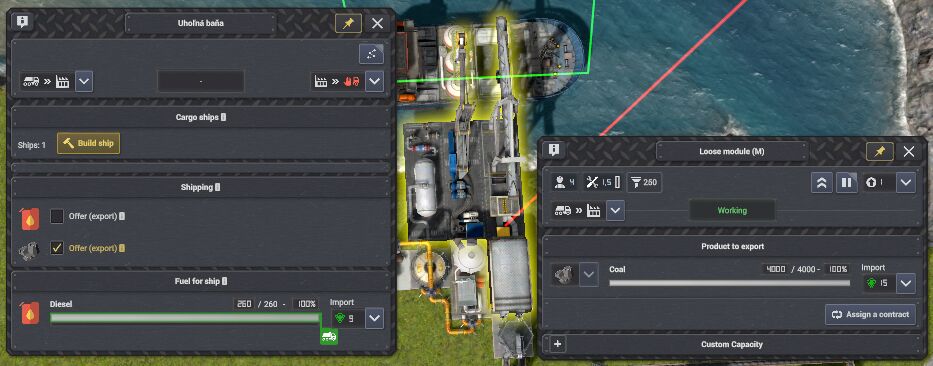
If I understand correctly, these three buttons refer to a ship moored in the harbor?
Observations and suggestions:
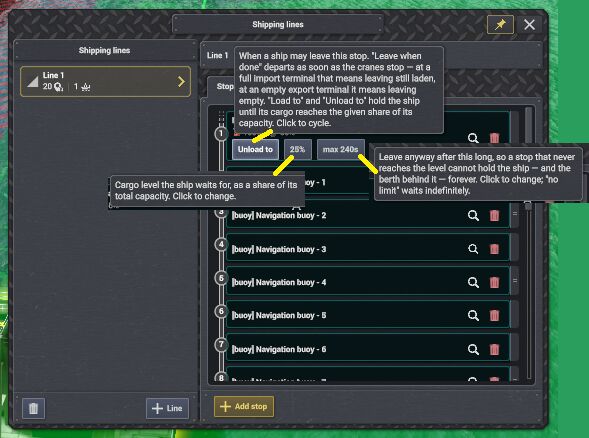
I noticed that the boat was swimming around the buoy, like a hungry person around hot porridge.
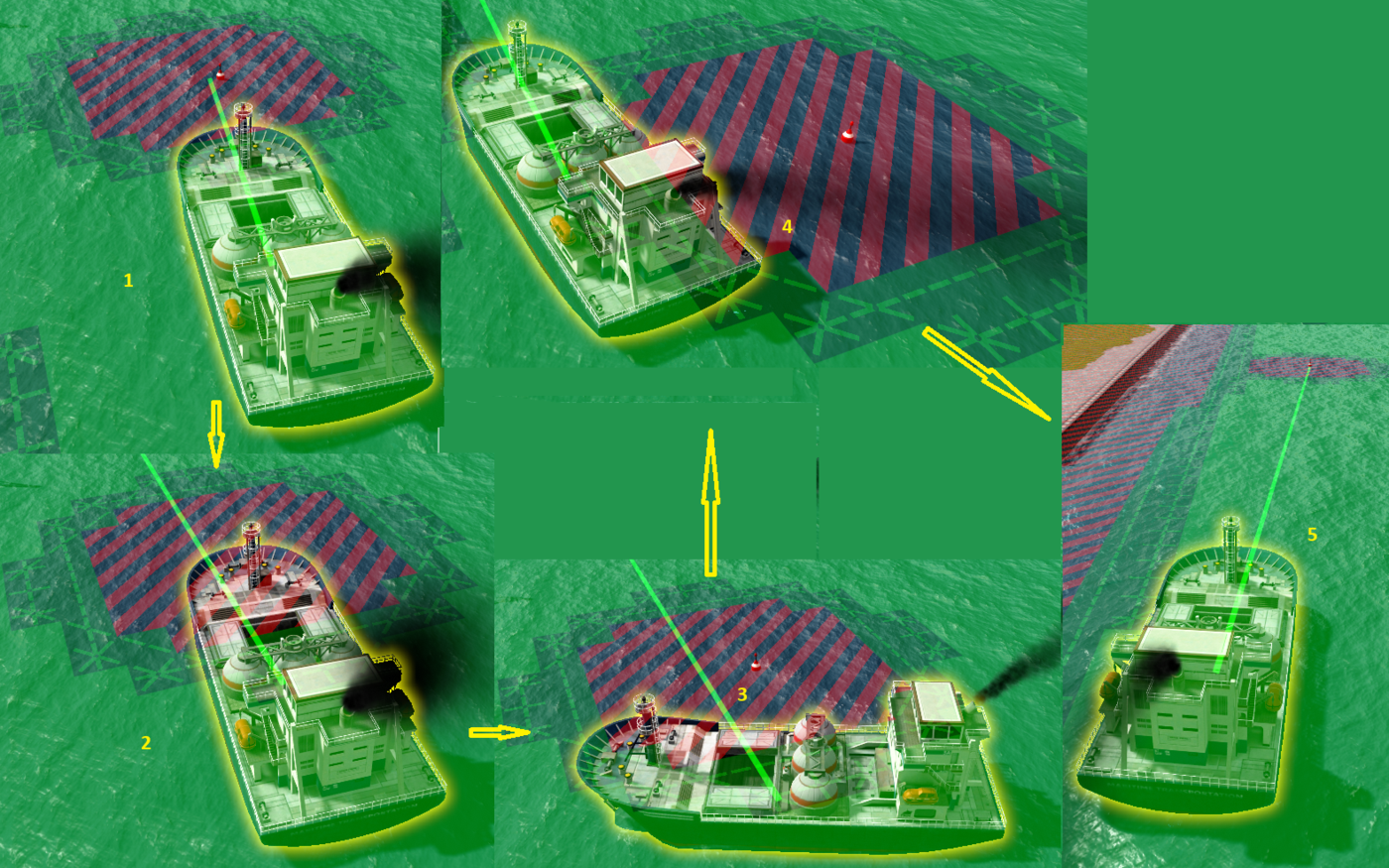
I have this suggestion:
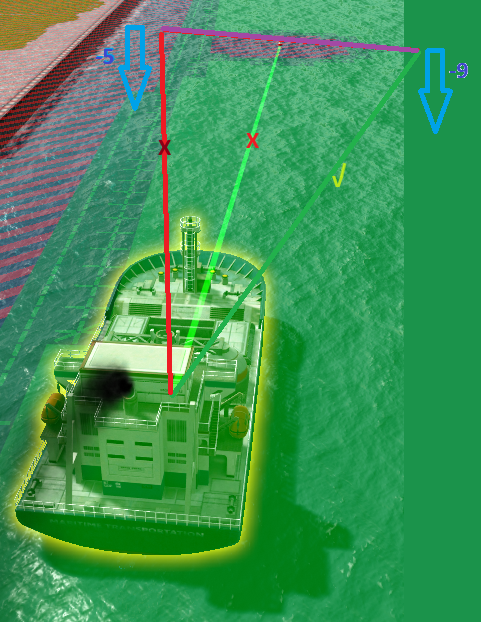
The purple line is perpendicular to the green line in the middle. The blue arrows indicate the depth of the water from the surface. The red and dark green lines indicate alternative directions to the buoy.
I suggest that the ship use the dark green line to approach the buoy. It is the intersection of the purple and dark green lines at the edge of the buoy's territorial waters.
The dark green line favors greater water depth.
The boat ride won't feel so "dancey".
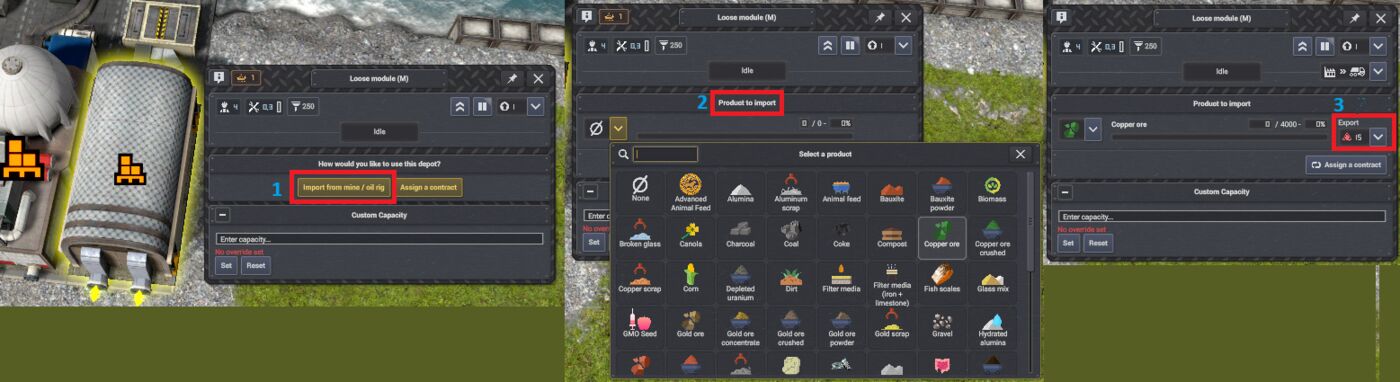
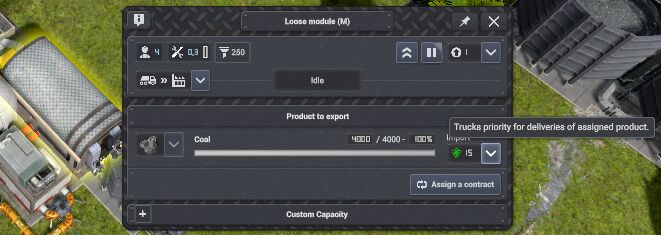
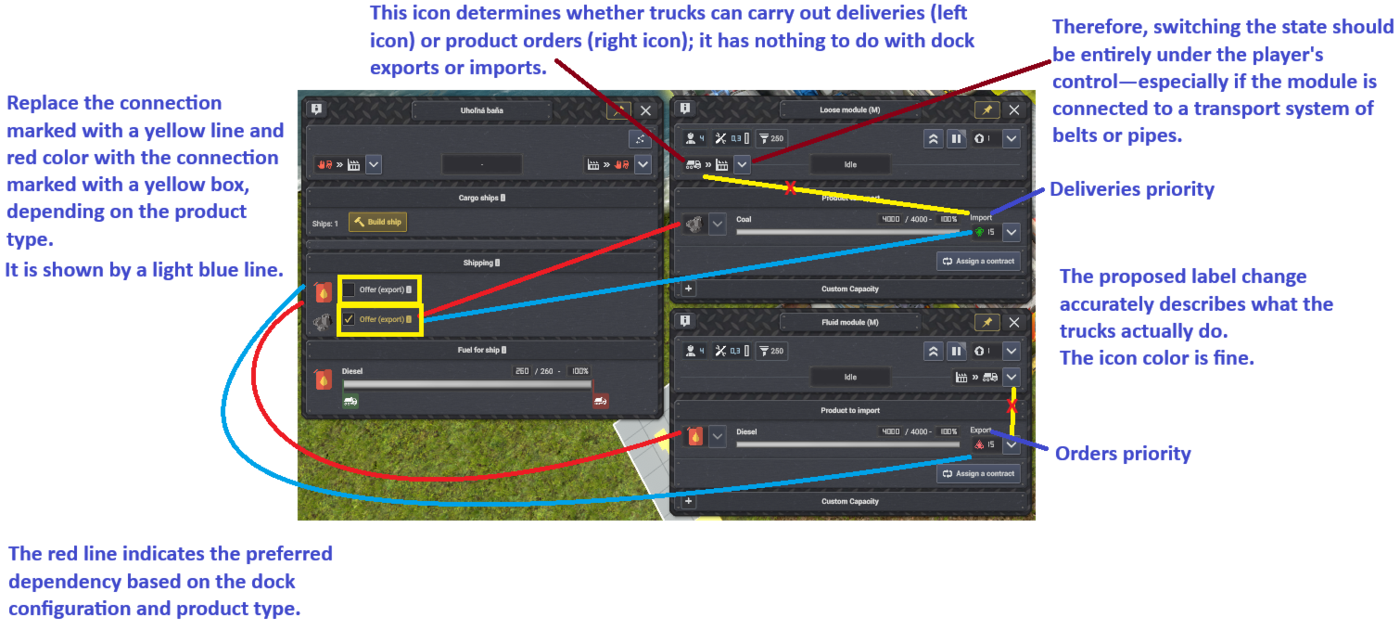
As you can see in the picture, I have three designs:
1 - It would be better to leave the text: Export/Import
2 - Expand the text here as follows: Product for export/import
3 - Leave it predefined there: Import
The following image will justify my suggestions.
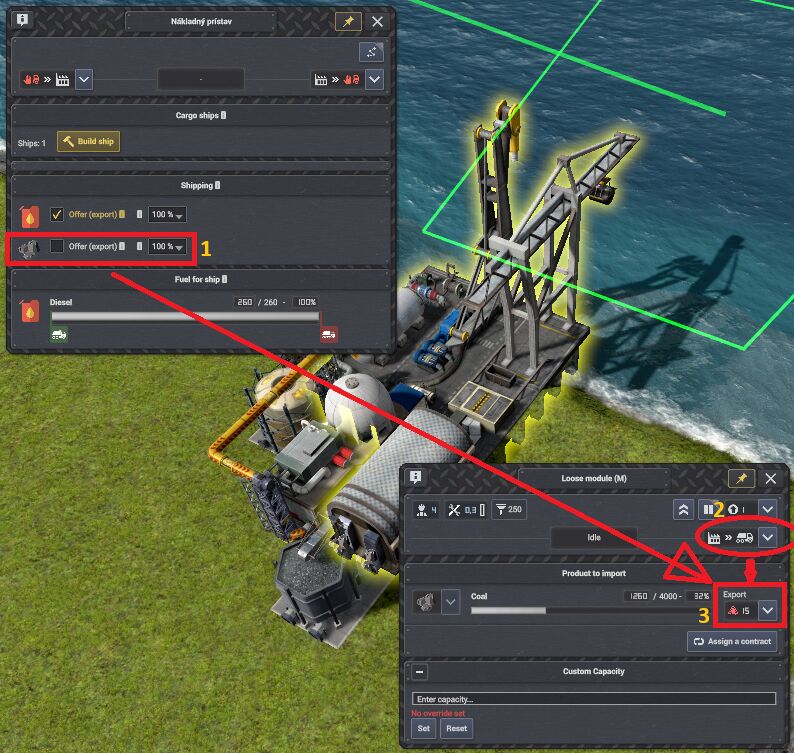
Since point 1 shows coal as a product for import, it is illogical for point 3 to stubbornly show export.
Point 2 stubbornly switches the state to export allowed, although the warehouse is connected to the module. It creates a bit of chaos in transportation.
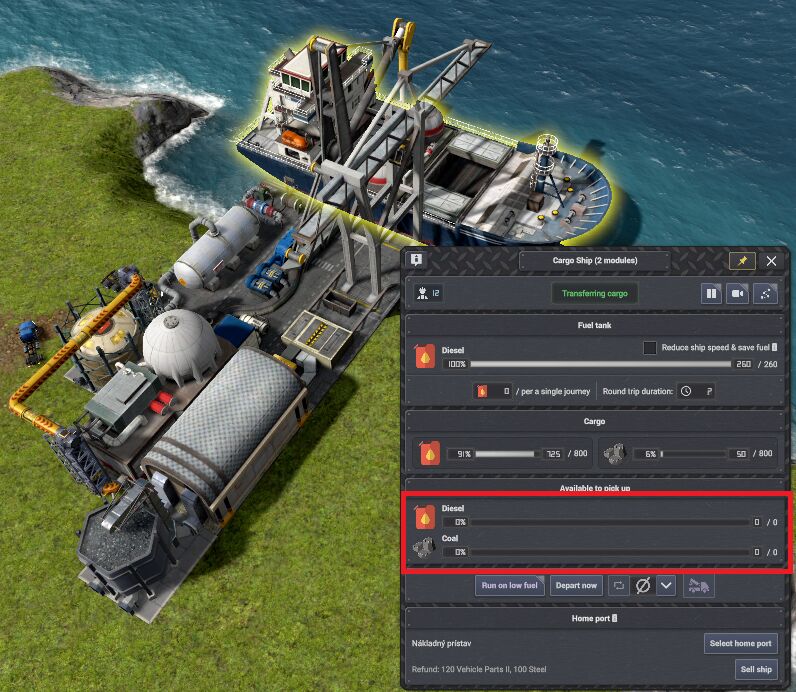
The items in the red box do not show anything. They could show the current status of the port the ship is anchored in. When the ship leaves the port, the status of the destination port the ship is heading to should be displayed.
That's all that bothered me about this mod so far. Otherwise, thank you very much for this mod. It's one of my top favorites.
I hope I didn't give you any headaches with this. 😇