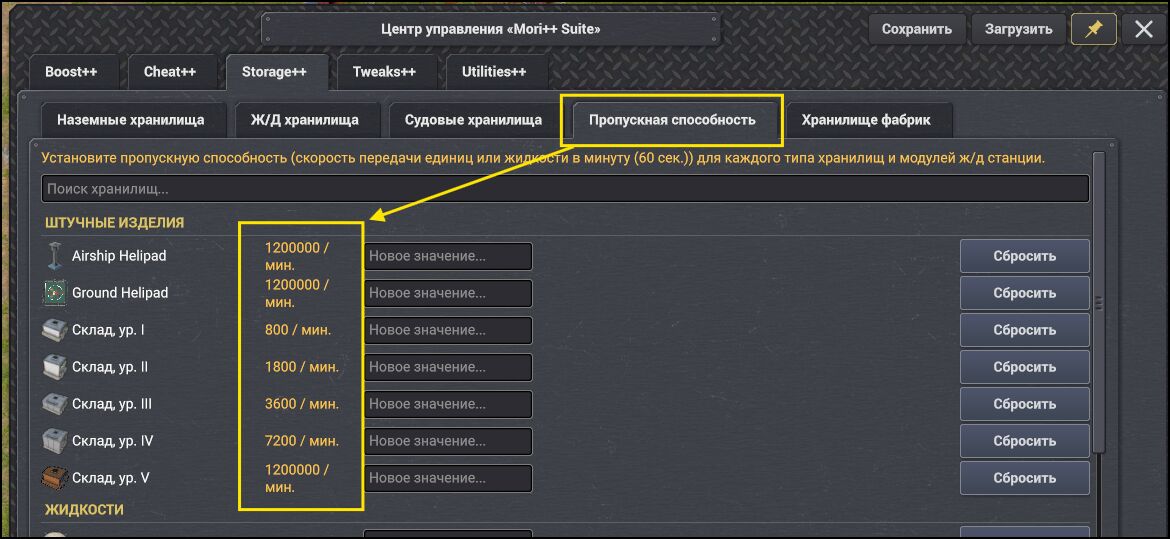
- Boss, please add a small check. If the set value differs from the default value, highlight that value with a color (yellow, orange, or some color). You could even make it a bit more complex — if the current value is lower than the base value, highlight it with a red tint; if the value is higher than the base value, highlight it with a green tint. This way, the user can visually see at a glance where and what differs, and in which direction.
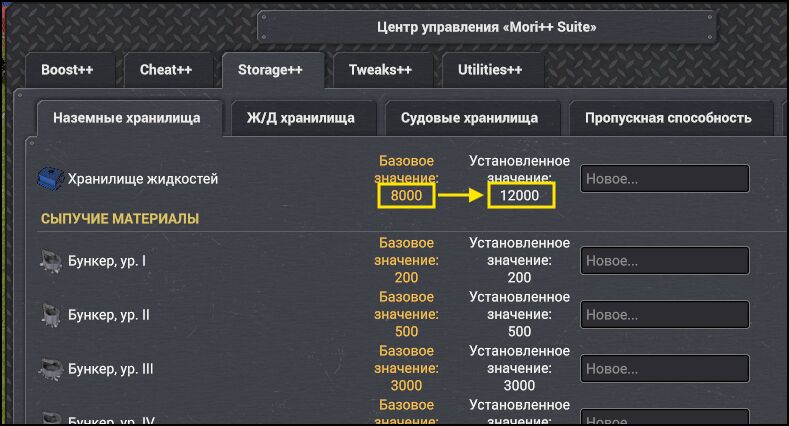
- If a user enters a value and then resets it (either by a global reset on the tab, or by a separate button for the storage), the entered value remains in the field. But at the same time, if you try to apply the remaining value, the function doesn't see it — as if it's empty.
If it's possible to make it so that when values are reset, the field also clears, that would be great.
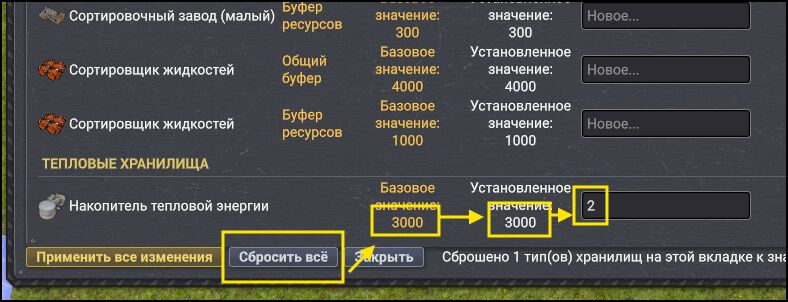
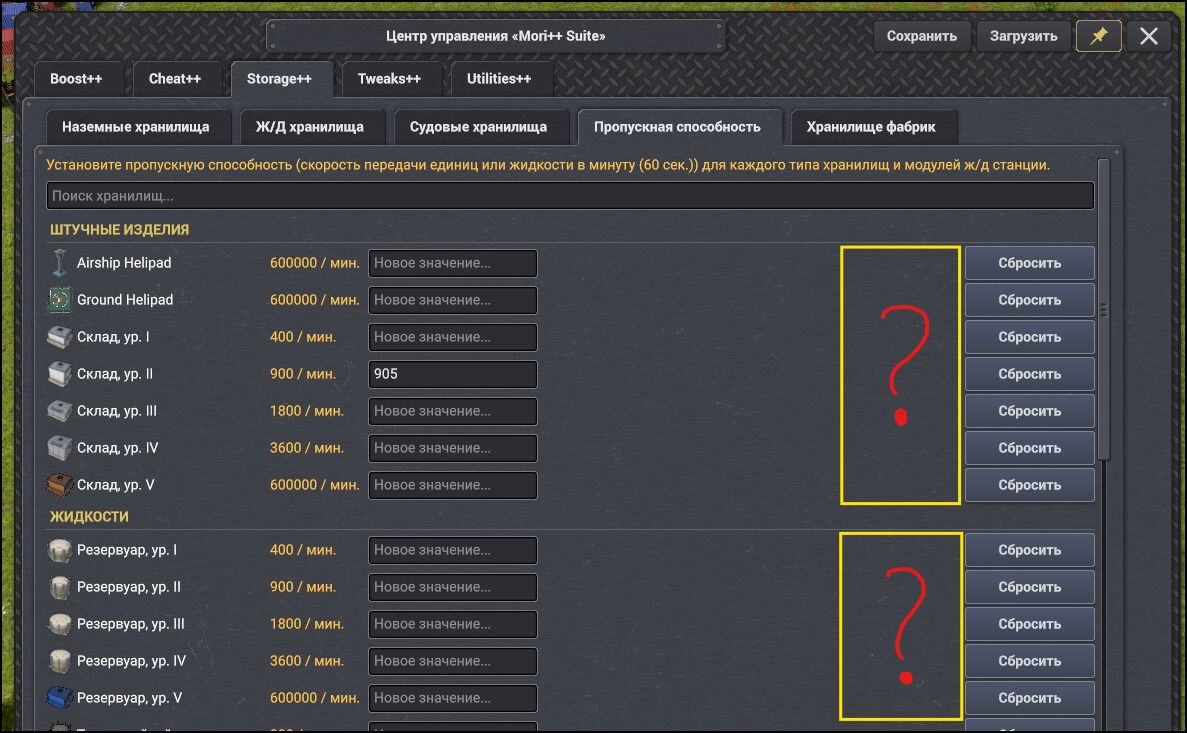
- For most storages, there is no separate reset button. So it turns out that to reset any storage individually, you have to enter the base value and apply it. Please add similar buttons for all storages (I think it used to be that way before, but I don't remember).
In general, almost all tabs have just one button — either apply or reset.
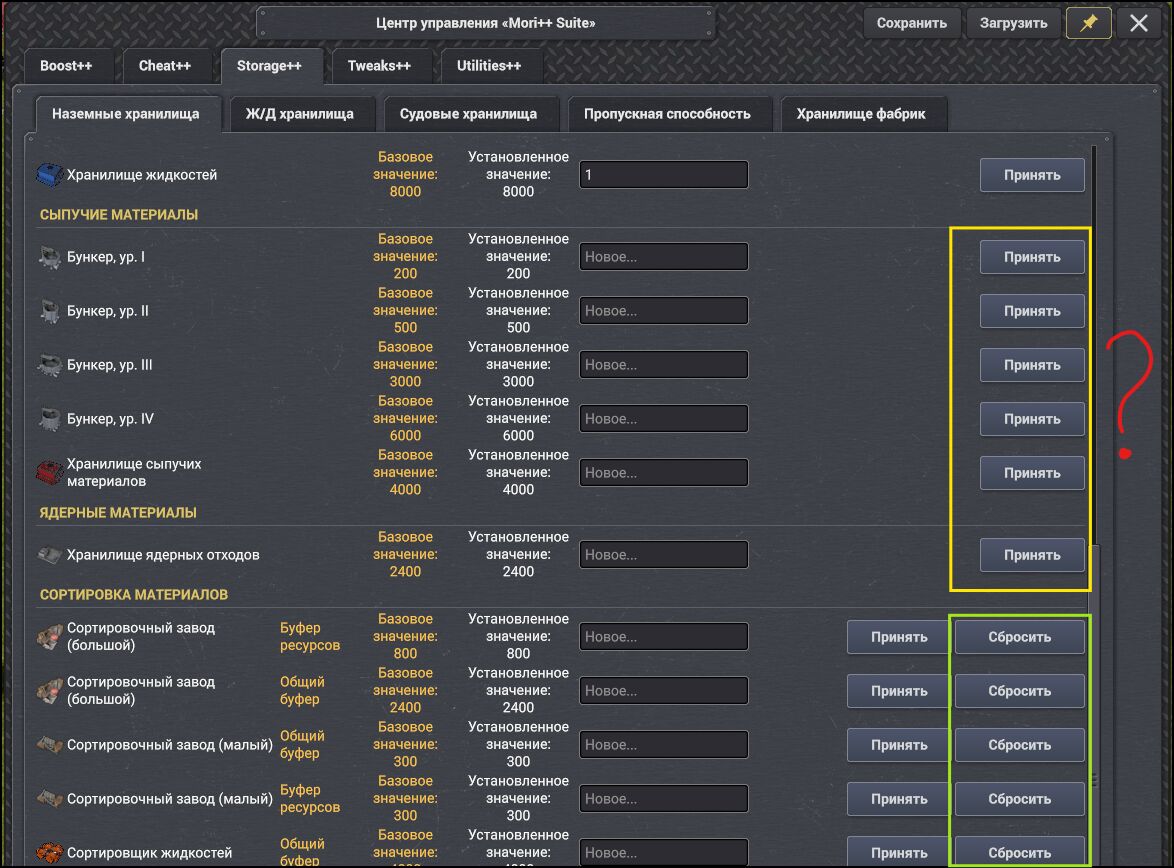
- On the throughput tab, there are no apply buttons for individual storage types. The entered value can only be applied using the global button.
- Not critical, it only affects the visual display. You could use the standard convention for number grouping, for example, instead of 1200000 → 1,200,000. There aren't many such cases, but they do exist, and you have to count the zeros :)