Does this look familiar to you?

Have you tried everything you can think of to fix it?
Are you playing on linux?
Then this guide is for you!
DISCLAIMER
Please consider this a companion guide to rofenix's beginner modding guide (https://coigame.com/Topic/160/-Beginner-Guide-How-to-Install-Mods-in-Captain-of-Industry-), follow troubleshooting there first before coming here
The photos provided in this guide may not match up 1-1 with what you have, but should work for reference material
Real mods will be used as examples, but this is NOT an issue with the mods themselves. They are simply mods i use that i noticed have this issue.
if anything, any mod mentioned here i recommend.
So what's the root cause?
I will be using Jag111's Research Queue (https://coigame.com/Mod/17/Research-Queue) as an example.
This is a problem between linux and windows. Exacting the zip, you will encounter a file structure like this: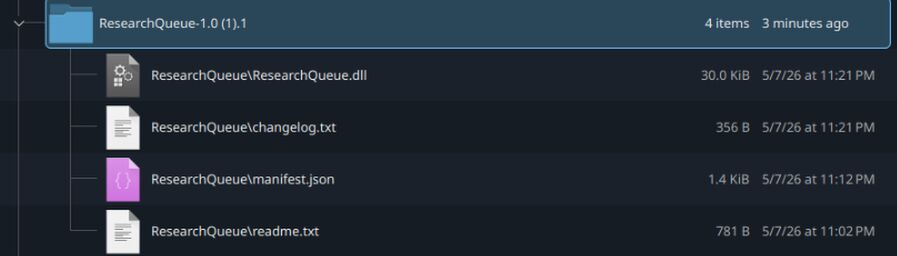
Or if you extracted it directly into your mods folder, just the inner 4. This is the broken structure, caused by the presence of the backslash (\) in the path. Windows would read it as file folders, linux reads it as a file name. Don't panic, this won't stop you from using the mod nor is there anything wrong with the download. This is just a case of broken folders and file path names.
Let's fix it
I will continue using research queue as an example
Since the extraction failed to set up the right folders, you'll have to do it manually. Thankfully you already have all the information you need in the file name.
Let's take that manifest file as an example: ResearchQueue\manifest.json
Each backslash (\) indicates a folder that wasn't made, in this case a folder called "ResearchQueue" which manifest.json should have been placed inside.
you will need to do 2 things to solve this issue
- create the missing folder(s, we'll get to that later)
- rename each file to remove the broken pathing
This will repair your mod to the proper format that the game can read. Research Queue for example will go from looking like the above photo to the one below: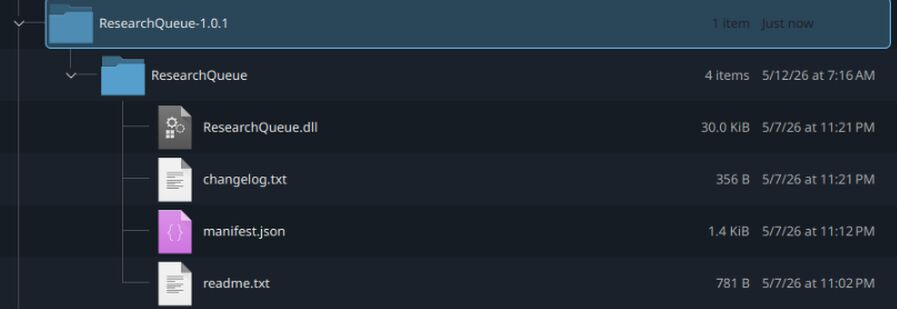
You can then move your newly made folder to your mods folder, if it wasn't there already. Remember to move the inner folder (ResearchQueue in this case) and not the outer folder (ResearchQueue-1.0.1).
This is not the only modification you may have to make however. Simple UI mods like research queue will be simple enough, but if your broken mod is a content mod like DeznekCZ's Wind Turbines (https://coigame.com/Mod/13/Wind-turbines), there will be an extra broken folder to fix.
Here's the broken extraction: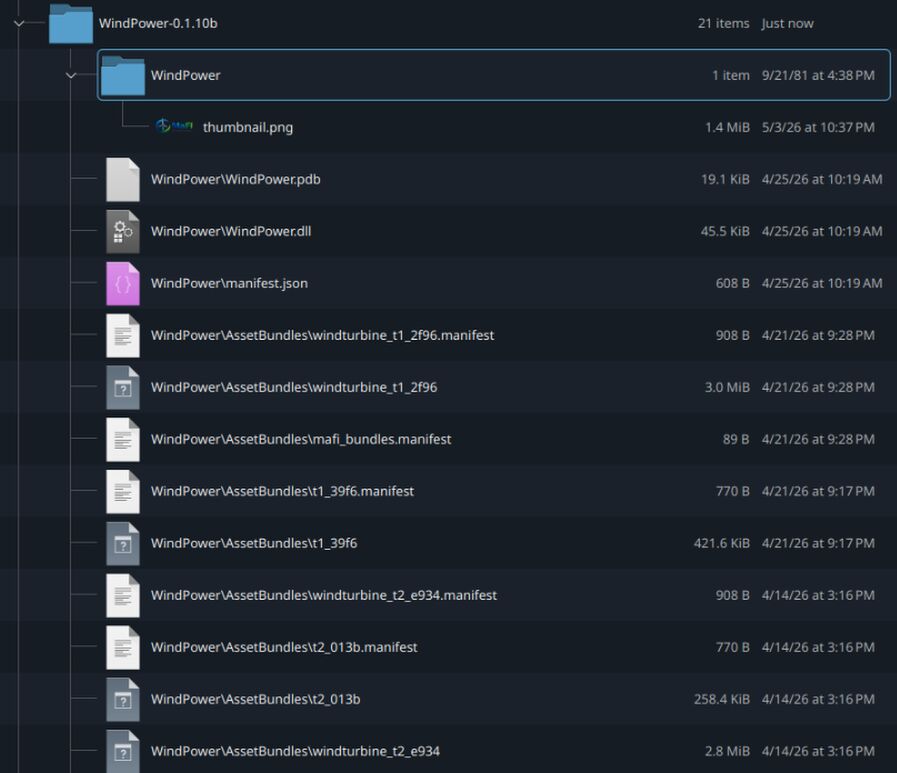
(note: i have no idea why the thumbnail is the only file that extracted correctly)
Many files have an extra section in their name: "AssetBundles". This is a sub folder that contains things like models and textures. The same fixing process still applies, turning the above photo into the two below photo:
(the above photo has the asset bundles folder collapsed, the below photo has it expanded)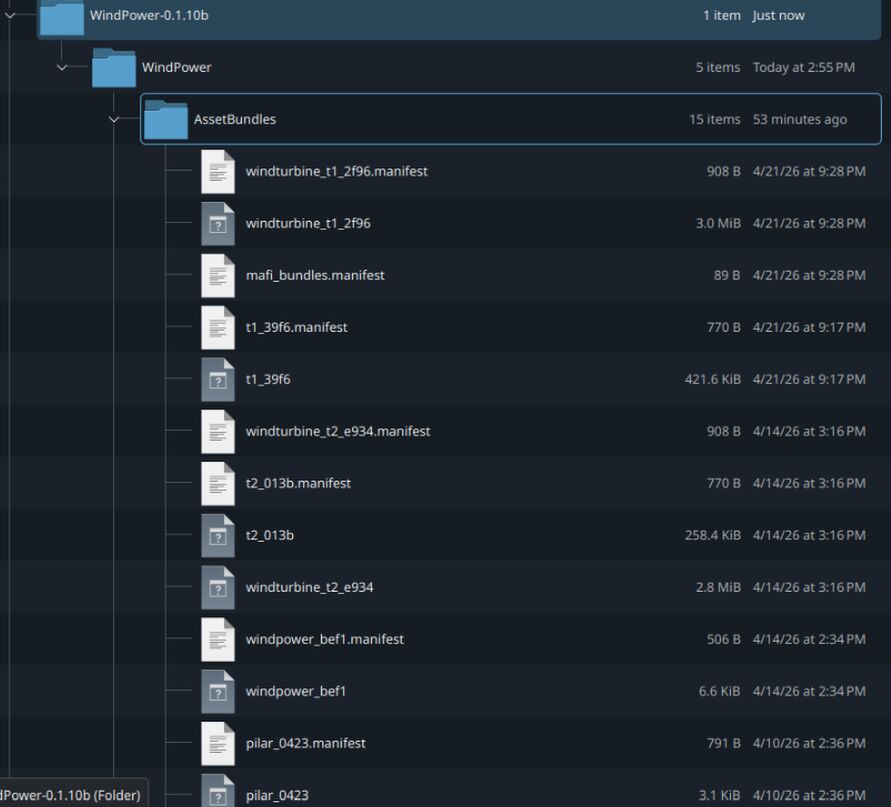
yes, you have to rename every single file. This will be time consuming for larger mods, unfortunately, but it will fix them.
enjoy your now un-broken mods!