Happens when user clicks on list item.
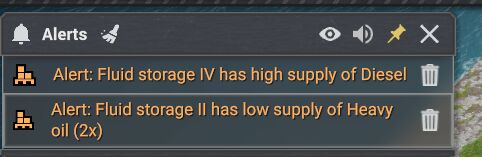
After click on bottom line:
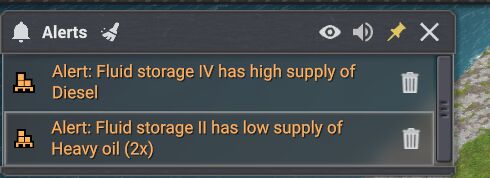
After mouse up list go back to pic1.
Seems like MaFi Games can't fix it for years.
Happens when user clicks on list item.
After click on bottom line:
After mouse up list go back to pic1.
Seems like MaFi Games can't fix it for years.

rgreat wrote:
Happens when user clicks on list item.
After click on bottom line:
After mouse up list go back to pic1.
Seems like MaFi Games can't fix it for years.
Thanks for report. Added it to the list to take a look at it and if i can recreate it i will fix it for next update batch. 😊
Moriarty wrote:
rgreat wrote:
Happens when user clicks on list item.
After click on bottom line:
After mouse up list go back to pic1.
Seems like MaFi Games can't fix it for years.
Thanks for report. Added it to the list to take a look at it and if i can recreate it i will fix it for next update batch. 😊
I can't recreate this problem but i would recommend you change the height in tweaks Hud for alert and it will fix that problem. 😊
Moriarty wrote:
I can't recreate this problem but i would recommend you change the height in tweaks Hud for alert and it will fix that problem. 😊
Weird. For me it happens even on umnodded game.
Maybe it is linked to Scale for User Interface set to 120%.
rgreat wrote:
Moriarty wrote:
I can't recreate this problem but i would recommend you change the height in tweaks Hud for alert and it will fix that problem. 😊
Weird. For me it happens even on umnodded game.
Maybe it is linked to Scale for User Interface set to 120%.
Ah yes that is probably why. I use scale 100% and don't get that. So i think that is why it happens for you. But you can make it a bit higher height in tweaks++ hud tab for all 4 message/alert windows to fix that and keep scale 120% =)