Feedback on functionality, issues, and improvements

Hoochie
Hoochie · 2 days ago
  1. When the "KF/KE markers" function is active, things aren't always smooth with the icons. Sometimes the icon doesn't update when the mode is switched, or the icon doesn't appear at all.
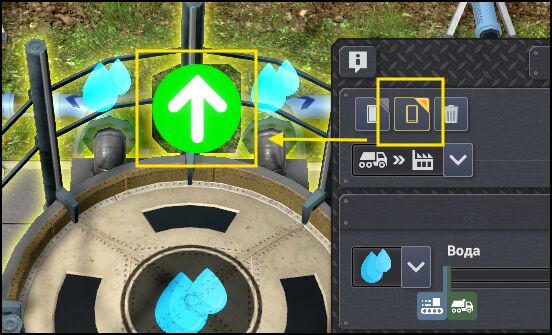
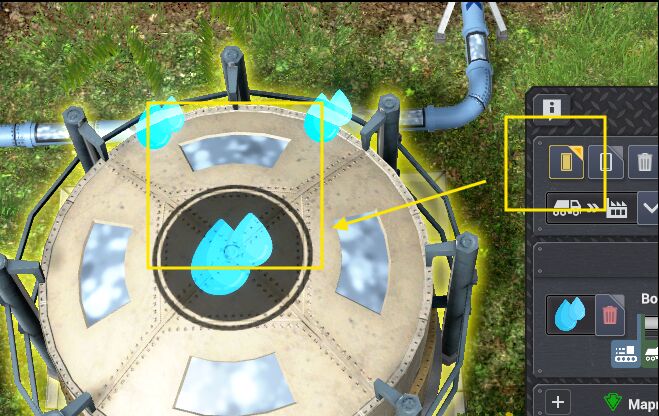
    image.png
    image.png

    Update.

    This happens if both modes are enabled (the one from sandbox and the one from your mod). If the sandbox mode is enabled, the arrows start "glitching"; if your mode is enabled, everything seems fine. I'll keep this point. If it's possible to simply synchronize the markers for the sandbox mode, that would be great.


  1. The dummy power consumption doesn't work. For example, my grid has 4.8 MW, and when I set any amount of consumption, there is no load on the grid.

    However, if I first add generation to the grid, say 100 MW, and then specify 50 MW of consumption, the consumption does occur. So, effectively, the generation only affects the "added" power, not the entire grid. The power the player already has is not affected, and therefore there is no way to test the load on the grid.
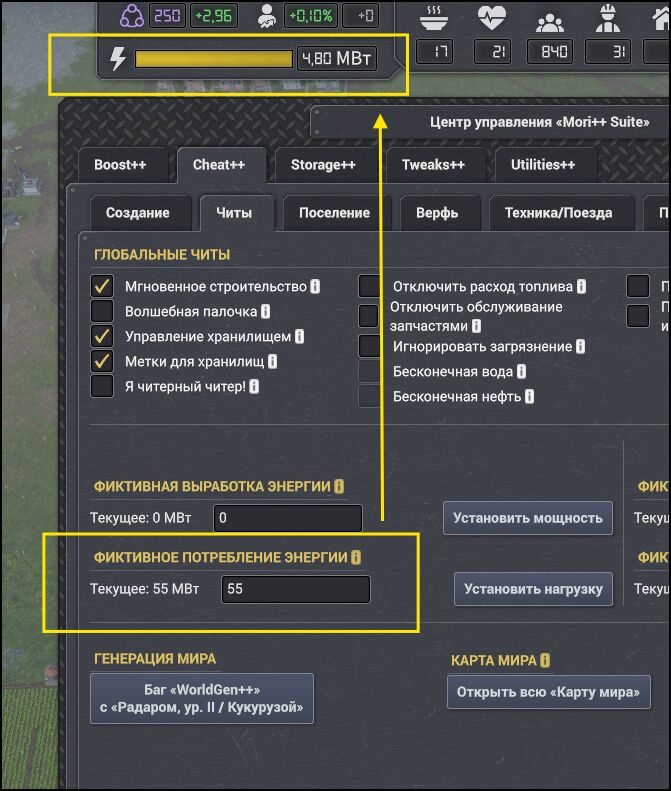
    image.png


  1. The window pinning mode is always active, regardless of whether it's enabled or disabled.

    It seems like it should work so that if the interface isn't pinned, clicking anywhere outside the interface should close it. But currently, it stays open everywhere until you manually close it.
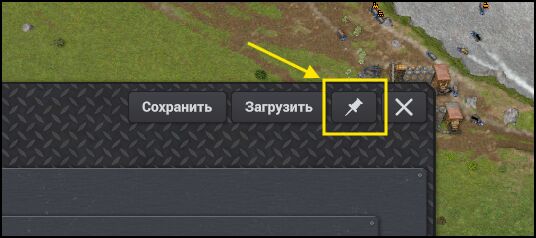
    image.png


  1. It's not entirely clear how the function for disabling pre-research works. Some research is still locked — at first I thought the locked research was added by other mods, but no, some of it is available, some isn't. I can't say exactly why.

    According to the function's description, it should completely remove the prerequisite for research, but that doesn't happen in all cases.
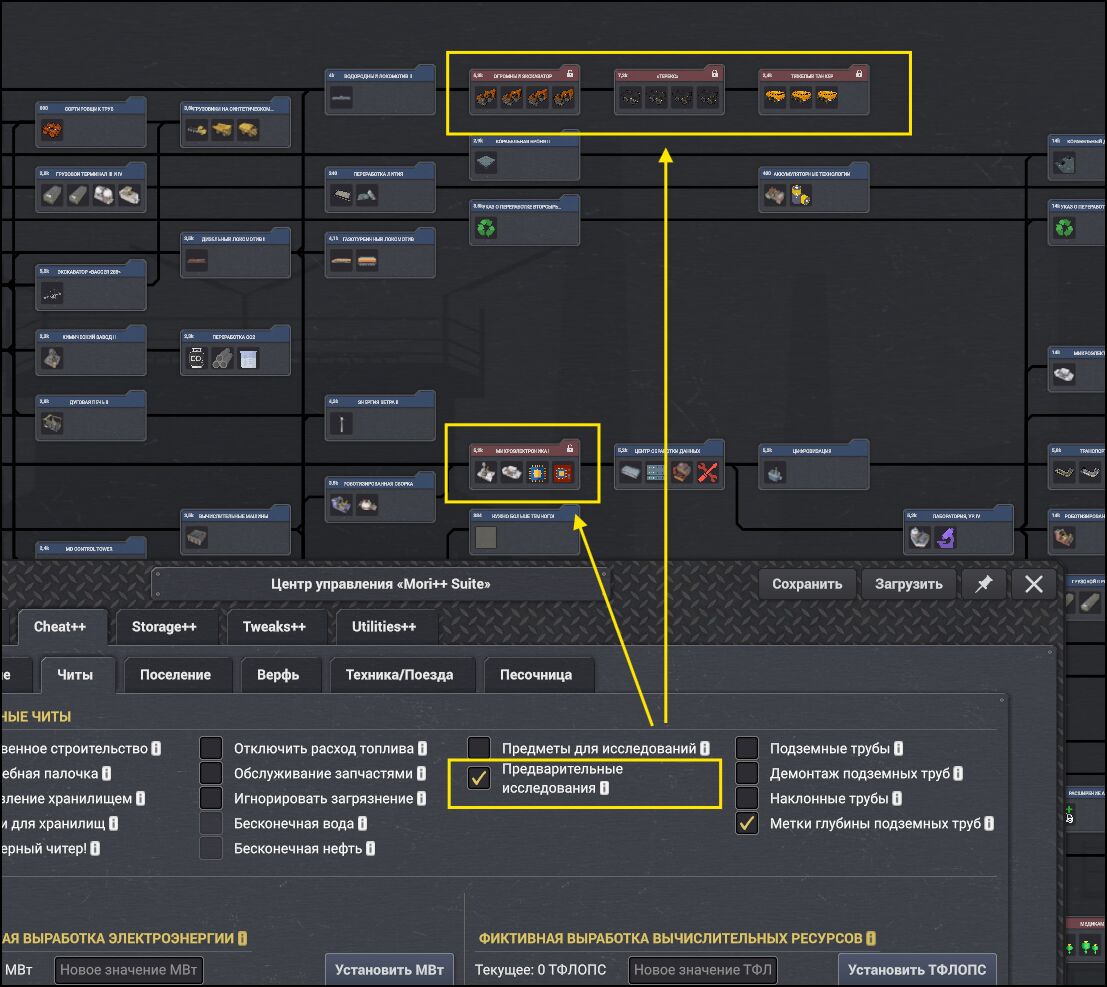
    image.png

    Also, on first enabling it, some research from other mods wasn't available. Then I turned the function off and on again, and the research became available to study.

    Additionally, if you turn the function off, some research seems to become locked (a padlock appears on the technology card), but in fact they are highlighted in blue and can still be added to the research queue.
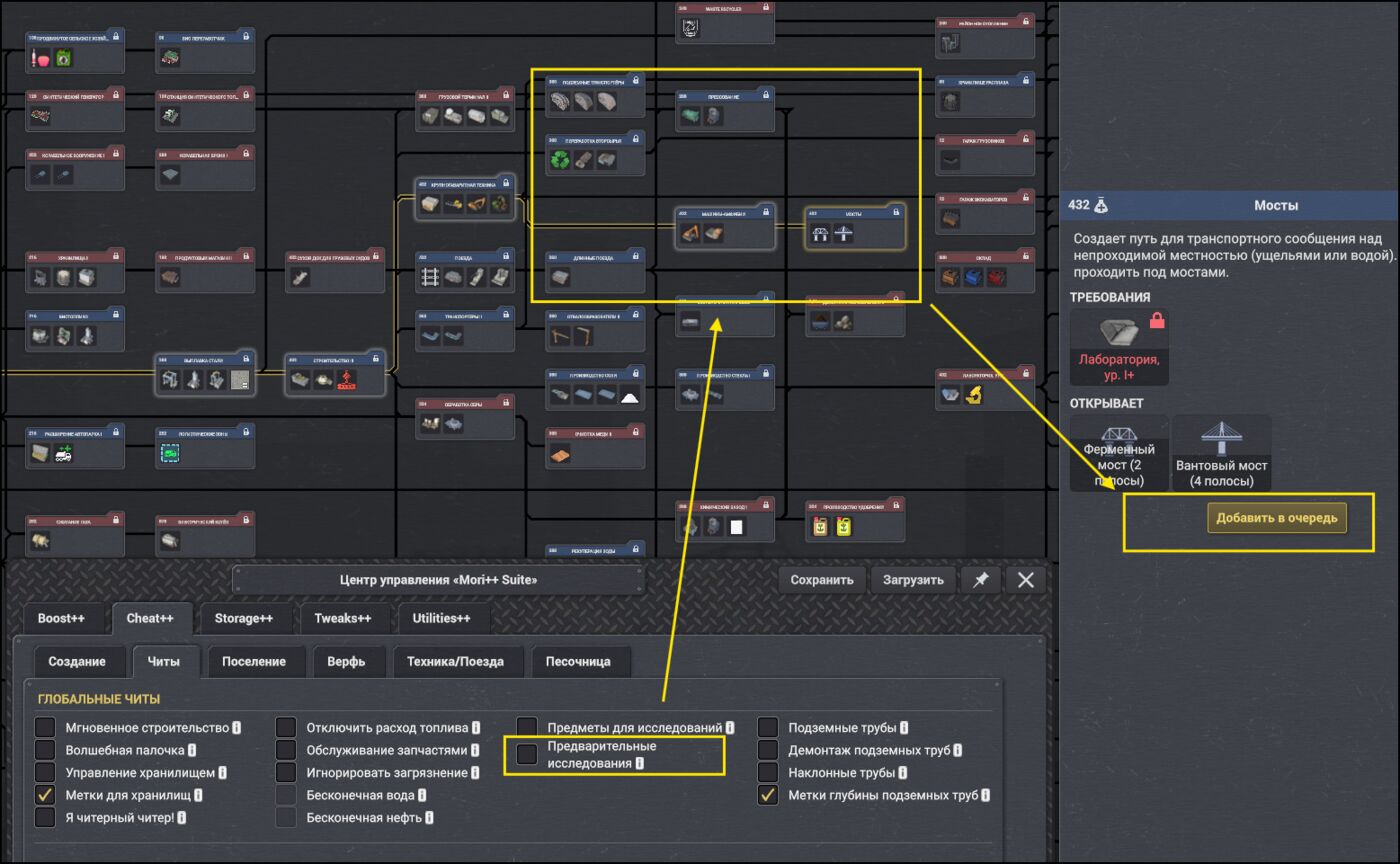
    image.png


  1. Tool for completing quarry work.

    Currently, when you click the tool toggle button, it turns on, but the window doesn't close. You have to either move the window or close it first, and only then use the area selection. And if you close the window and need to fill something nearby with a different resource, you have to open the window again.

    Also, if you toggle the tool again to turn it off (as the message suggests), the tool doesn't actually turn off — it still lets you select an area, and only a right-click turns it off.

    If it's possible to make it work like in sandbox mode — where clicking the toggle minimizes the window, and canceling expands it back — that would be great and would simplify working with this tool.
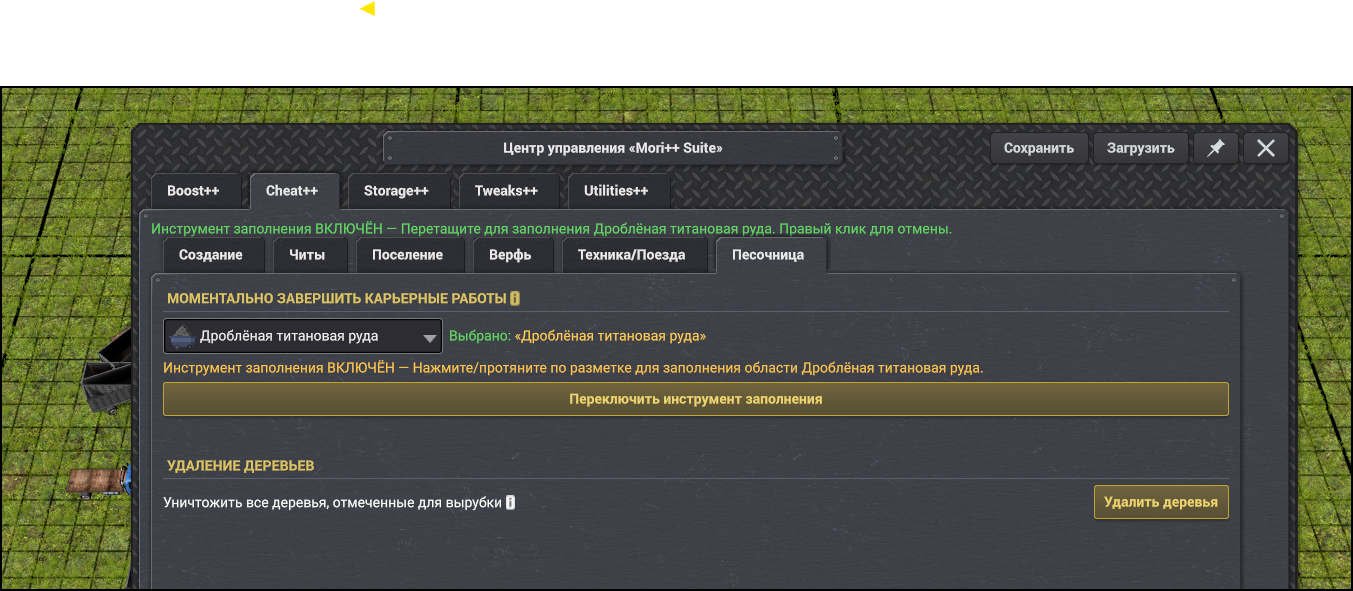
    image.png

Moriarty
Moriarty · 1 day ago

Hoochie wrote:

  1. When the "KF/KE markers" function is active, things aren't always smooth with the icons. Sometimes the icon doesn't update when the mode is switched, or the icon doesn't appear at all.


    Update.

    This happens if both modes are enabled (the one from sandbox and the one from your mod). If the sandbox mode is enabled, the arrows start "glitching"; if your mode is enabled, everything seems fine. I'll keep this point. If it's possible to simply synchronize the markers for the sandbox mode, that would be great.


  1. The dummy power consumption doesn't work. For example, my grid has 4.8 MW, and when I set any amount of consumption, there is no load on the grid.

    However, if I first add generation to the grid, say 100 MW, and then specify 50 MW of consumption, the consumption does occur. So, effectively, the generation only affects the "added" power, not the entire grid. The power the player already has is not affected, and therefore there is no way to test the load on the grid.


  1. The window pinning mode is always active, regardless of whether it's enabled or disabled.

    It seems like it should work so that if the interface isn't pinned, clicking anywhere outside the interface should close it. But currently, it stays open everywhere until you manually close it.


  1. It's not entirely clear how the function for disabling pre-research works. Some research is still locked — at first I thought the locked research was added by other mods, but no, some of it is available, some isn't. I can't say exactly why.

    According to the function's description, it should completely remove the prerequisite for research, but that doesn't happen in all cases.

    Also, on first enabling it, some research from other mods wasn't available. Then I turned the function off and on again, and the research became available to study.

    Additionally, if you turn the function off, some research seems to become locked (a padlock appears on the technology card), but in fact they are highlighted in blue and can still be added to the research queue.


  1. Tool for completing quarry work.

    Currently, when you click the tool toggle button, it turns on, but the window doesn't close. You have to either move the window or close it first, and only then use the area selection. And if you close the window and need to fill something nearby with a different resource, you have to open the window again.

    Also, if you toggle the tool again to turn it off (as the message suggests), the tool doesn't actually turn off — it still lets you select an area, and only a right-click turns it off.

    If it's possible to make it work like in sandbox mode — where clicking the toggle minimizes the window, and canceling expands it back — that would be great and would simplify working with this tool.

Thanks for report. Will fix most things this week. 😊

And the 3 vehicles nodes in research node needs microchip technology you find on world map to unlock them. The cheats dont unlock world items you need to find. 😊 (i will update tooltip that it does not include world item requirements)

👍 1
12
Showing 1–2 of 2