Strange behavior in acceleration calculation.

Hoochie
Hoochie · 4 days ago

Strange behavior in the calculation of acceleration and buffer capacity.

Here's a comparison screenshot of this behavior — at 180% acceleration, it seems like nothing changes, and the buffer capacity remains at the same level.
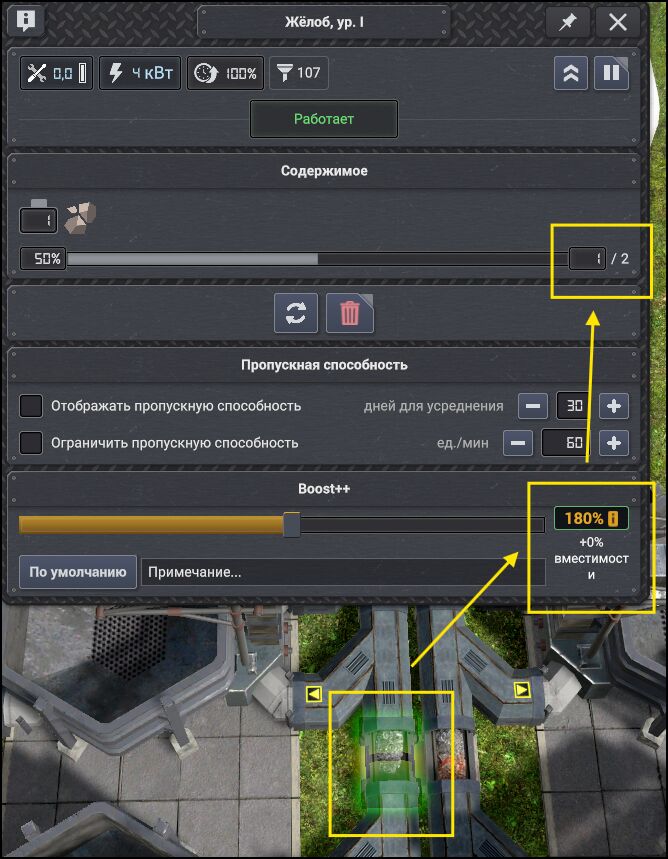
image.png

At 181%, it already shows +11% to buffer capacity, but even a first-grader can see that adding 11% to one (the buffer) doesn't equal two. Yet the indicator still shows that we've added 11%.
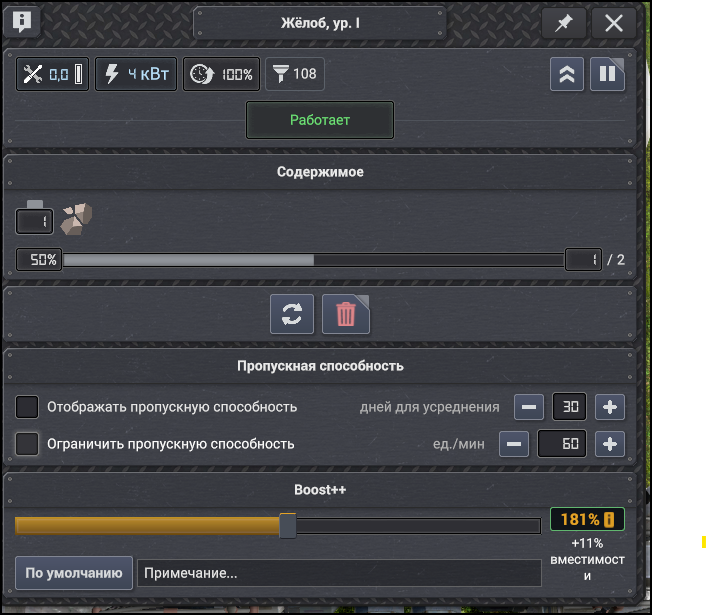
image.png

At the same time, if I set the acceleration to 195%, the effect is the same as at 181%. But if you cross that threshold — at 196% — the buffer is already considered doubled (instead of a total capacity of 2 units, it becomes 3 units).
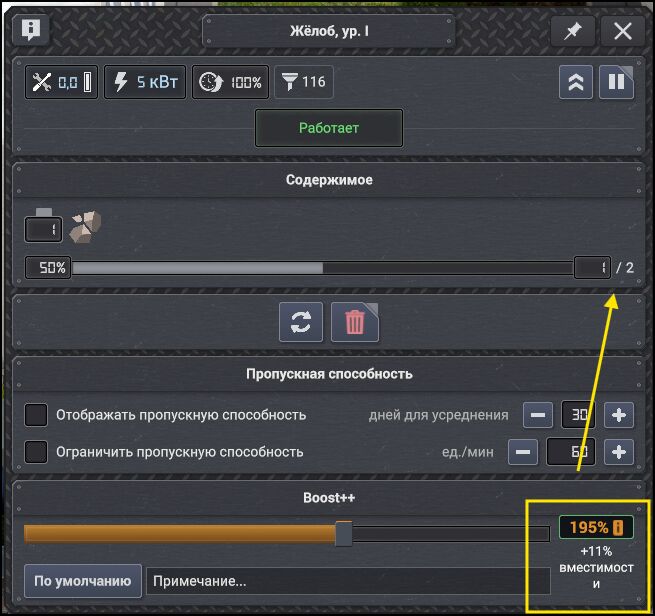
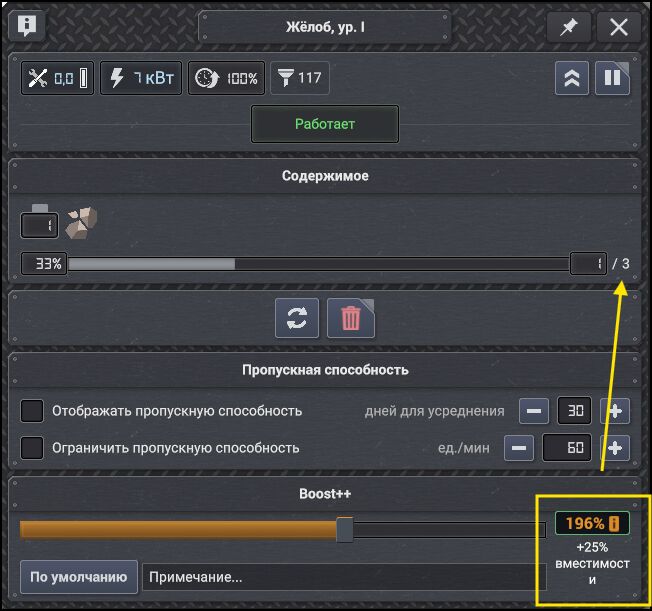
image.pngimage.png

Although in reality, the buffer increase should kick in at a minimum of 200%. And the message shown below the set percentage should display not 25% but 50%.

So it's most likely either a general calculation formula that isn't designed for "small values," or a general formula for all buildings, or some bug has crept in and is messing everything up :)
Hoochie
Hoochie · 4 days ago

Most likely, this is a general acceleration calculation formula, and it's not particularly suitable for small values.

In this case, you'd either need to add conditional logic to the calculation, or assign a separate formula for each building type :(

Hoochie
Hoochie · 4 days ago

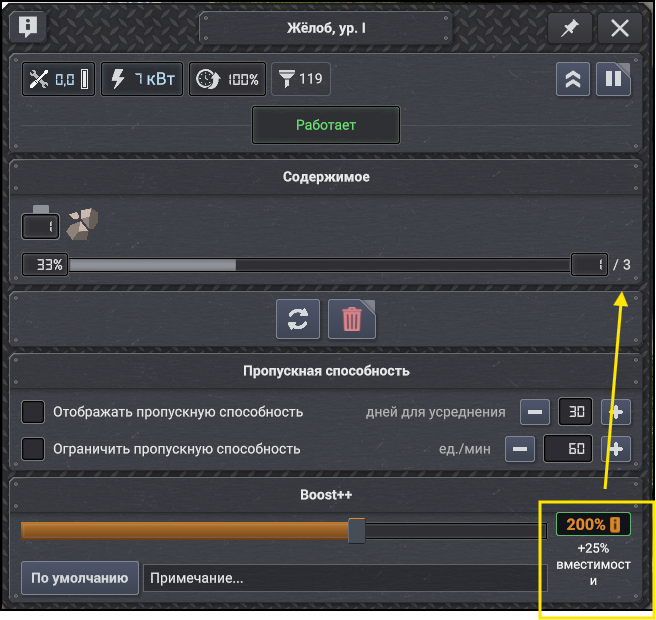
Again, at a value of 200% (assuming this is not the base value but the actual increase), the buffer value should be "4," not "3," because the standard buffer is "2" units. Multiplying "2" by 200% gives us "4."

But at the same time, the calculation in the tooltip stubbornly shows that we'll only get +25% capacity.
image.png

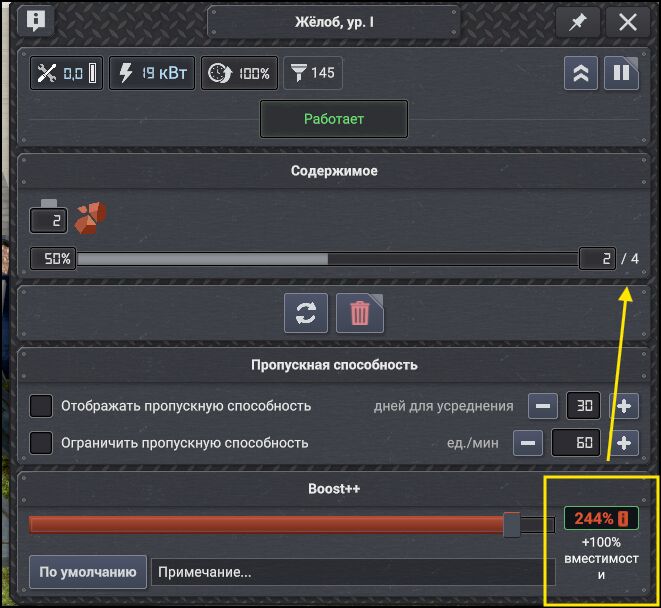
With all of this, a buffer value of "4" units can only be achieved by setting the acceleration to 244% (and at that point, the tooltip is correct — we've effectively gained +100% capacity).

image.png

Edited 4 days ago
Moriarty
Moriarty · 4 days ago

Hoochie wrote:

Most likely, this is a general acceleration calculation formula, and it's not particularly suitable for small values.

In this case, you'd either need to add conditional logic to the calculation, or assign a separate formula for each building type :(

There is nothing strange with it. It's how it suppose to work. It will boost throughput and amount of items moving on the belt. It still works even with low values since it will move things faster on the belt. The tiers for boost% is there for a balance reason. The amount does not really matter. 😊

Hoochie
Hoochie · 4 days ago

Okay, but for the user, this is not clear. So, the user clicking (or moving the slider on the bar) expects to get a certain specific result, but in reality, they don't understand what's happening at all — what's being accelerated, what's being added to what, and especially they don't understand that items will move faster, and that's how they'll get the very increase they set.

For you, as a developer, it's all simple and clear, but for the average user, it's just not understandable at all...

Moriarty
Moriarty · 4 days ago

Hoochie wrote:

Okay, but for the user, this is not clear. So, the user clicking (or moving the slider on the bar) expects to get a certain specific result, but in reality, they don't understand what's happening at all — what's being accelerated, what's being added to what, and especially they don't understand that items will move faster, and that's how they'll get the very increase they set.

For you, as a developer, it's all simple and clear, but for the average user, it's just not understandable at all...

Well everything moves visually faster and tighter. But i guess i can add a hover tooltip to it.

👍 1
15
Showing 1–6 of 6