[Known issues]

This topic is closed (tagged ).
25 days ago
  • Lamps are not emitting light
  • Vehicles with movable parts have not correctly aligned lights and sometimes moves incorrectly
  • On the ocean is weird blue color
  • The fog and clouds are too much white
  • On big saves it causes too big drop of fps (should be better)
  • Game limitation: buildings that are instance rendered are not receiving lights
Edited 23 days ago
25 days ago

obrázok.png

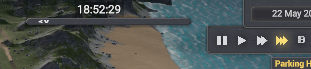
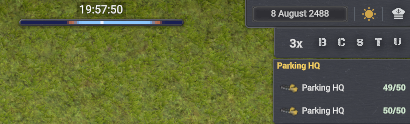
smal mistake. objekt ui is now too small. do not identify game speed.

24 days ago

Vladovlak wrote:

obrázok.png

smal mistake. objekt ui is now too small. do not identify game speed.

I feel this is caused by different implementation of UI by harmony.
In case you would be able to give me mod name and the UI layot to accomodate the search, I can try to update it.

23 days ago

DeznekCZ wrote:

Vladovlak wrote:

obrázok.png

smal mistake. objekt ui is now too small. do not identify game speed.

I feel this is caused by different implementation of UI by harmony.
In case you would be able to give me mod name and the UI layot to accomodate the search, I can try to update it.

With Day and night cycle mode v0.1.1a

obrázok.png

Without ...

obrázok.png

Among other mods, I use the Moriarty set for game version 0.8.4b

23 days ago

Like I wrote it is searching for specific UI pattern which is changed by Moriarty.

I need to see a graph to be able to add next option.

22 days ago

DeznekCZ wrote:

Like I wrote it is searching for specific UI pattern which is changed by Moriarty.

I need to see a graph to be able to add next option.

Hello, I did a test:
New game plus DLC:
obrázok.png
Added Night Mod - Day & Night Cycle v0.1.1a:
obrázok.png
Moriarty set
obrázok.png
Moriarty set + Night Mod - Day & Night Cycle
obrázok.png
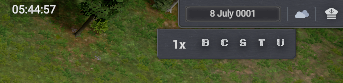
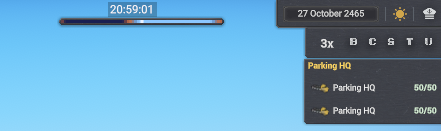
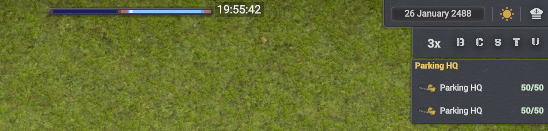
I'm not a programmer, so I don't know what kind of graph you want. However, I think you changed the UI element that shows the current game speed instead of creating a new one.
P.S.: I also sent this message to Moriarty

Edited 22 days ago
22 days ago

Vladovlak wrote:

DeznekCZ wrote:

Like I wrote it is searching for specific UI pattern which is changed by Moriarty.

I need to see a graph to be able to add next option.

Hello, I did a test:
New game plus DLC:
obrázok.png
Added Night Mod - Day & Night Cycle v0.1.1a:
obrázok.png
Moriarty set
obrázok.png
Moriarty set + Night Mod - Day & Night Cycle
obrázok.png
I'm not a programmer, so I don't know what kind of graph you want. However, I think you changed the UI element that shows the current game speed instead of creating a new one.
P.S.: I also sent this message to Moriarty

This is good debugging information at least.

22 days ago

Moriarty wrote that he would look into it today.

22 days ago

Vladovlak wrote:

Moriarty wrote that he would look into it today.

I heard he uploaded a new version. But i might be wrong.😉 (sorry for cutting in here Dez)

22 days ago

Moriarty wrote:

Vladovlak wrote:

Moriarty wrote that he would look into it today.

I heard he uploaded a new version. But i might be wrong.😉 (sorry for cutting in here Dez)

obrázok.png
It is all ok, good luck :)

22 days ago

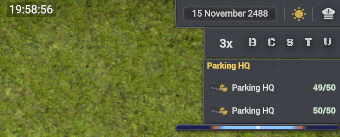
Everything all right in case the fix helped, but I still see a small issue there, if the component is placed in that spot, it means it, the original place was not found. The real time display is also a mod for game?

Edited 22 days ago
22 days ago

Vladovlak wrote:

Moriarty wrote:

Vladovlak wrote:

Moriarty wrote that he would look into it today.

I heard he uploaded a new version. But i might be wrong.😉 (sorry for cutting in here Dez)

obrázok.png
It is all ok, good luck :)

I see you have tweaks so you can move Dez UI same way as tweaks move vanilla windows with holding down Ctrl+left mouse button. =)

21 days ago

obrázok.png
obrázok.png
obrázok.png
It works flawlessly. 👍😎

👍 1
248 Showing 113 of 13
Log in to reply.