Boost Manager Settings

warrenc · 1 month ago

Settings window the Computing Cost Scaling % does not save in game or save game. Set, Save and return to this screen and it is back to 184. This is my Ludicrous Speed settings. maybe add auto set these for Ludicrous speed button. All costs to 0 and max boosts to max %

image.png

Moriarty
Moriarty · 1 month ago

warrenc wrote:

Settings window the Computing Cost Scaling % does not save in game or save game. Set, Save and return to this screen and it is back to 184. This is my Ludicrous Speed settings. maybe add auto set these for Ludicrous speed button. All costs to 0 and max boosts to max %
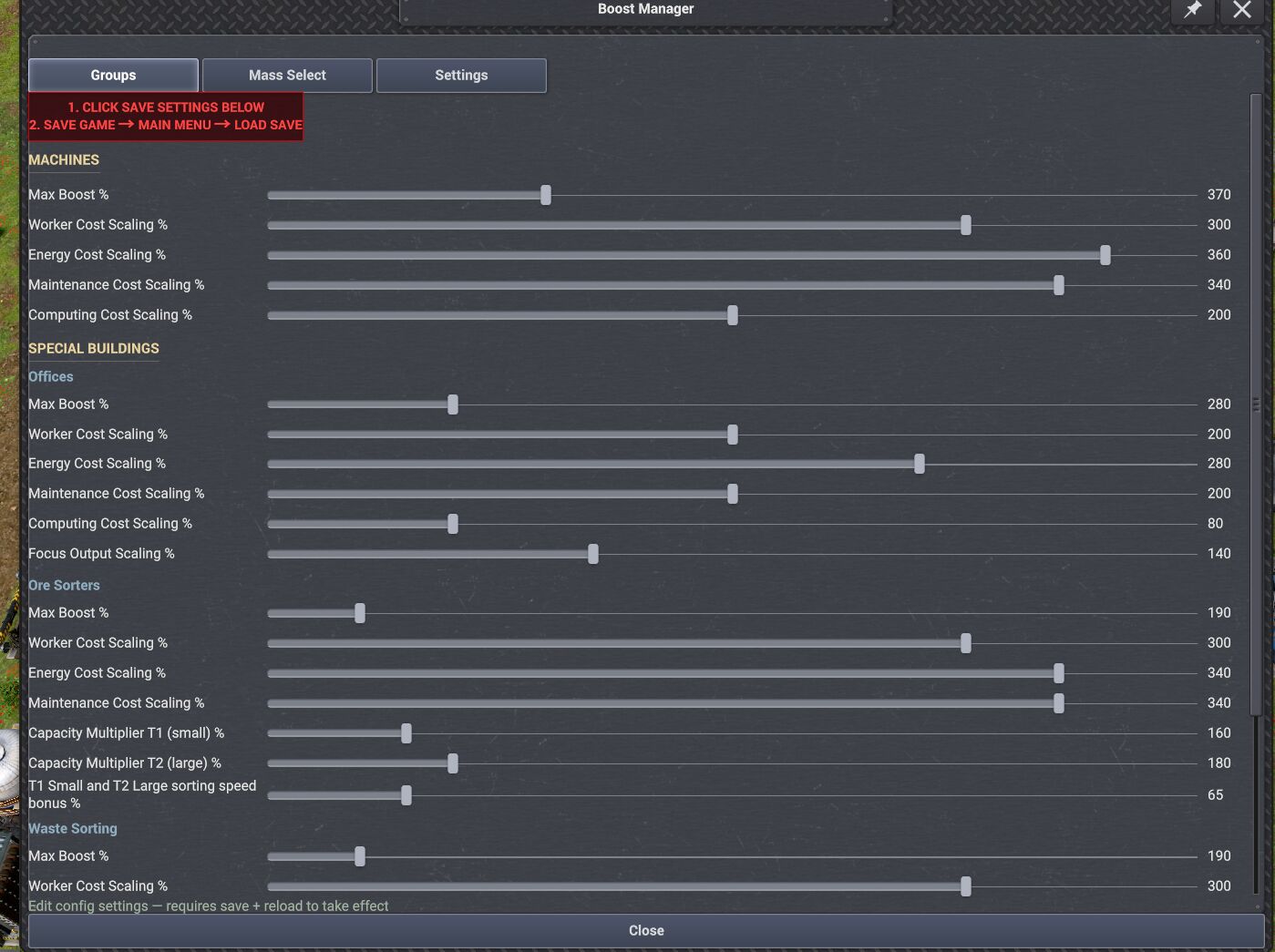
image.png

i will test and see but i will not test with 1000% and same settings as i use since i said over 400% things might act strange.

Moriarty
Moriarty · 1 month ago

Works for me. Make sure you follow what big red box says. Save settings at bottom of window then save game then go to main menu then load save. Then it should work for you. 😊


image.png

warrenc · 1 month ago

Must be one of the mods from other devs interfering.

Maybe the same mod that is interfering with the warehouse mod on my game.

Edited 1 month ago
Moriarty
Moriarty · 1 month ago

warrenc wrote:

Must be one of the mods from other devs interfering.

Maybe the same mod that is interfering with the warehouse mod on my game.

What mod is it? So i can test it.

warrenc · 1 month ago

Moriarty wrote:

warrenc wrote:

Must be one of the mods from other devs interfering.

Maybe the same mod that is interfering with the warehouse mod on my game.

What mod is it? So i can test it.

I am not sure yet. Spent a lot of time testing the warehouse issue. Did not look at this one, yet.

I included a full list of mods i am using in the other post for warehouse bug.

I just updated 2 mods versions Game play ++ and Kayser's Blueprint Designer's Toolkit

Will test now to see if anything really changed.

Edited 1 month ago
👍 1
115
Showing 1–6 of 6