Boost Manager Settings

This topic is closed (tagged ).
11 days ago

Settings window the Computing Cost Scaling % does not save in game or save game. Set, Save and return to this screen and it is back to 184. This is my Ludicrous Speed settings. maybe add auto set these for Ludicrous speed button. All costs to 0 and max boosts to max %

image.png

11 days ago

warrenc wrote:

Settings window the Computing Cost Scaling % does not save in game or save game. Set, Save and return to this screen and it is back to 184. This is my Ludicrous Speed settings. maybe add auto set these for Ludicrous speed button. All costs to 0 and max boosts to max %
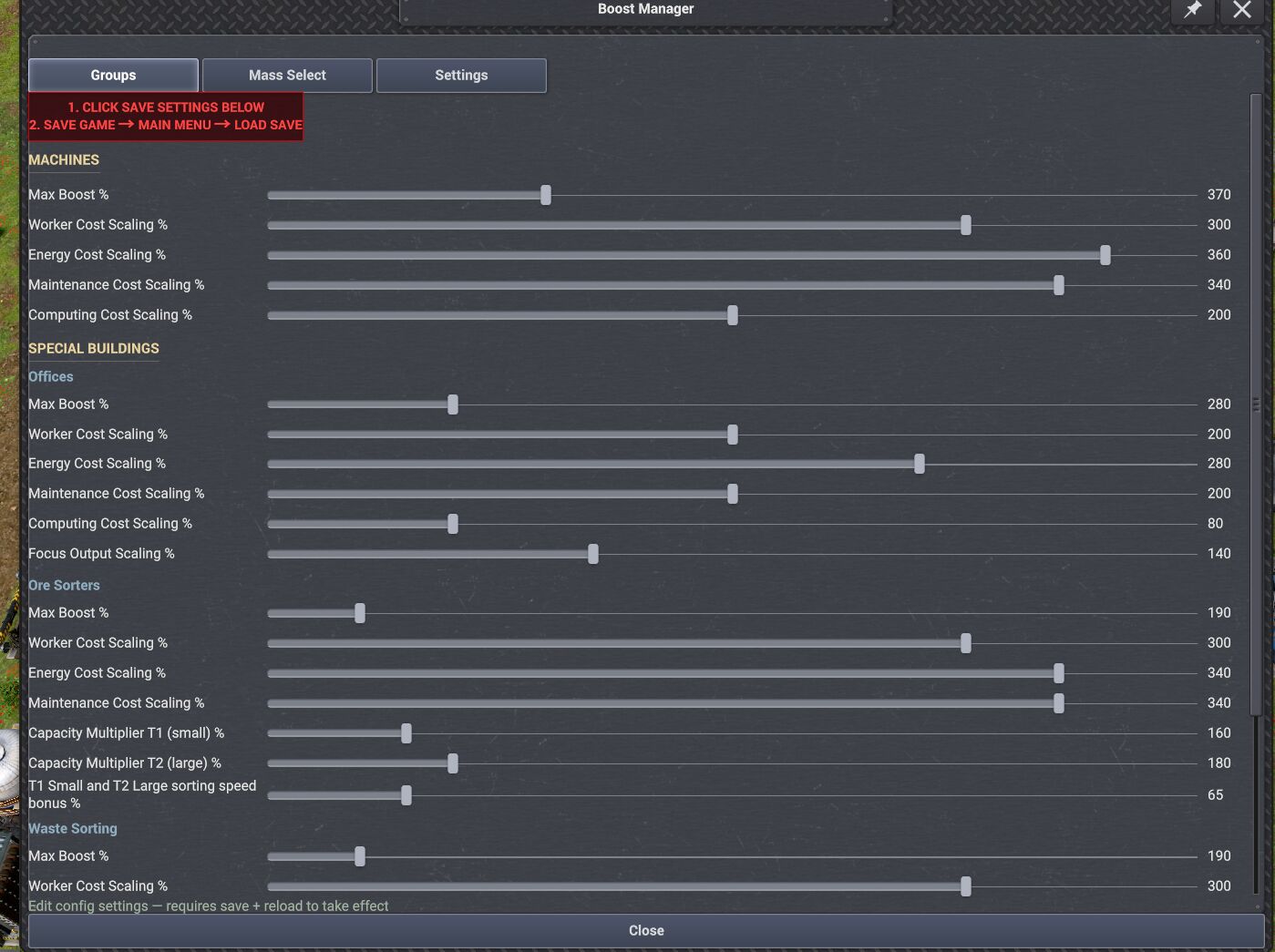
image.png

i will test and see but i will not test with 1000% and same settings as i use since i said over 400% things might act strange.

11 days ago

Works for me. Make sure you follow what big red box says. Save settings at bottom of window then save game then go to main menu then load save. Then it should work for you. 😊


image.png

11 days ago

Must be one of the mods from other devs interfering.

Maybe the same mod that is interfering with the warehouse mod on my game.

Edited 11 days ago
11 days ago

warrenc wrote:

Must be one of the mods from other devs interfering.

Maybe the same mod that is interfering with the warehouse mod on my game.

What mod is it? So i can test it.

11 days ago

Moriarty wrote:

warrenc wrote:

Must be one of the mods from other devs interfering.

Maybe the same mod that is interfering with the warehouse mod on my game.

What mod is it? So i can test it.

I am not sure yet. Spent a lot of time testing the warehouse issue. Did not look at this one, yet.

I included a full list of mods i am using in the other post for warehouse bug.

I just updated 2 mods versions Game play ++ and Kayser's Blueprint Designer's Toolkit

Will test now to see if anything really changed.

Edited 11 days ago
👍 1
25 Showing 16 of 6
Log in to reply.